QR Code Reader API Guide
Read QR code text from uploaded images or public links, with content categories and corner coordinates for check-in and inventory workflows.
Read QR codes from images
Extract QR code text for check-in, inventory and data-entry workflows. Upload an image or provide a public image link. The API returns one decoded value, its content category and available corner coordinates.
View API details or try the Demo.
Send an image
Use POST /v1/barcode/qrcode/decode with multipart form data. Keep your application key on your server and supply it in the query string.
curl 'https://api.gugudata.io/v1/barcode/qrcode/decode?appkey=YOUR_APPKEY' \
  -F 'file=@qrcode.png'
Alternatively, send a public image URL instead of a file:
curl 'https://api.gugudata.io/v1/barcode/qrcode/decode?appkey=YOUR_APPKEY' \
  -F 'file_url=https://gugudata.io/assets/demo/qrcode-decode-demo.png'
Provide exactly one of file or file_url. Images may be PNG, JPEG, static WebP or BMP, up to 10 MiB, 8192 pixels per side and 16 million pixels in total. Animated and multi-frame images are not supported.
Read the result
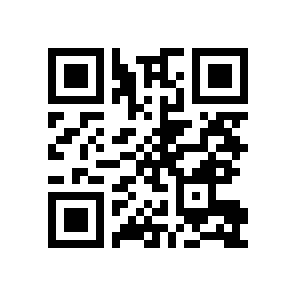
The success envelope contains dataStatus and data. The sample QR image encodes https://gugudata.io/.
| Data field | Type | Meaning |
|---|---|---|
format |
string | Always QR_CODE. |
parsed |
string | Exact decoded text, identical to raw. |
raw |
string | Original text, including spaces and line breaks. |
type |
string | URI, WIFI, EMAIL or TEXT. |
points |
number[][] | Four corner coordinates, or an empty array when unavailable. |
Coordinates use the image’s pixel dimensions, ordered top-left, top-right, bottom-right and bottom-left. If several QR codes are readable, the API selects the first from top to bottom, then left to right. It does not return a batch of results.
Decoded links are text only; the API does not visit them. Validate decoded content before using it in your application. Image quality, contrast, blur and damage can affect recognition.
Handle errors
HTTP 400 indicates invalid input parameters; 413 means the file or pixel limit was exceeded; 422 means an unsupported, damaged or unreadable image, including an image with no decodable QR code. HTTP 502 indicates a download or processing failure; 503 indicates temporary unavailability. Existing authentication and rate-limit responses use 401, 403 and 429.
Do not treat an HTTP error as a decoded result. The error envelope includes a business status code and no successful QR data.
Try a reproducible sample
Download the sample PNG. The Demo runs actual decoding and caches a successful result for 15 minutes. Its response uses the same five data fields as the paid endpoint.
Use QR reading alongside the QR Code Generator to validate image-based application workflows.